

LayerswapDepositWidget) renders the deposit flow instead of the Swap Widget’s form: you fix the destination — one network, its allowed tokens, and the recipient address — and the end user only picks how to fund the deposit. It can render inline on your page, or as a button that opens the widget in a dialog.
It’s delivered through the same verified CDN pipeline as LayerswapWidget and accepts all of the same props plus the deposit-specific ones documented below.
LayerswapDepositWidget is a dedicated component for funding a destination fixed by your app. The Deposit tab—formerly called “Easy Deposit”—generates an address or QR code inside the Swap Widget (LayerswapWidget) and can use the destination wallet connected by the user. Choose the component when your app must set the recipient before the user starts.When to choose it
Use the Deposit Widget when:- Your app already knows the receiving address and network.
- Your users may hold funds in different wallets, exchanges, or supported app balances.
- You want the widget to show only the funding methods supported for the selected destination.
- You want the experience to render inline with your product or open from a branded button.
How it works
The user lands on a method picker offering a few ways to fund the deposit: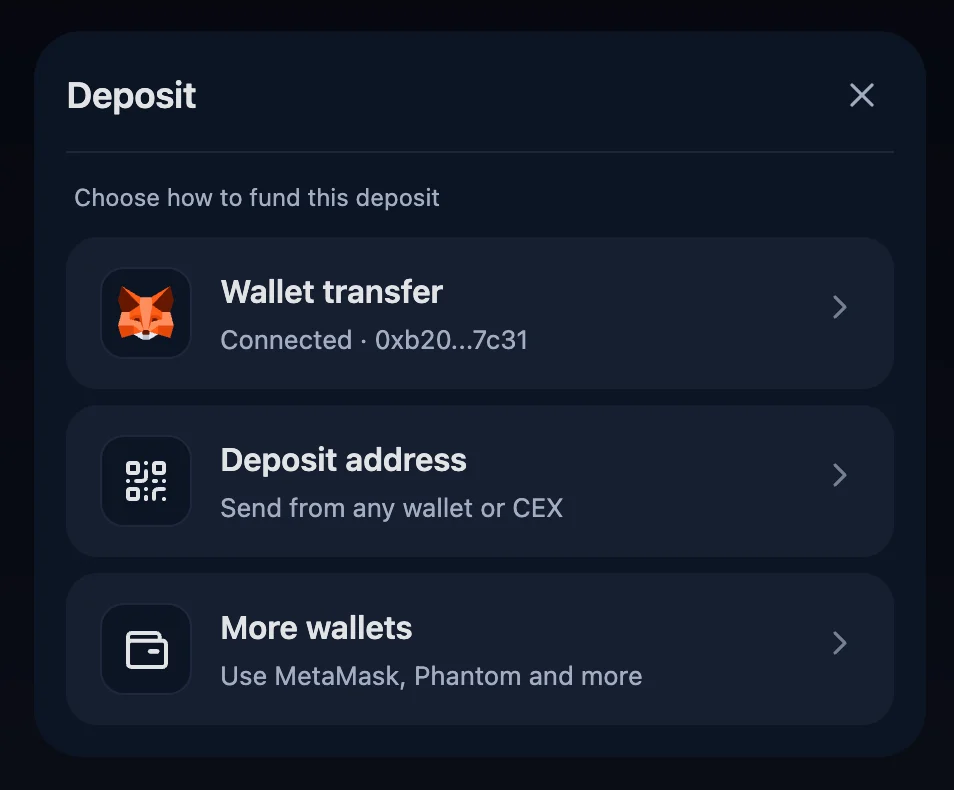
-
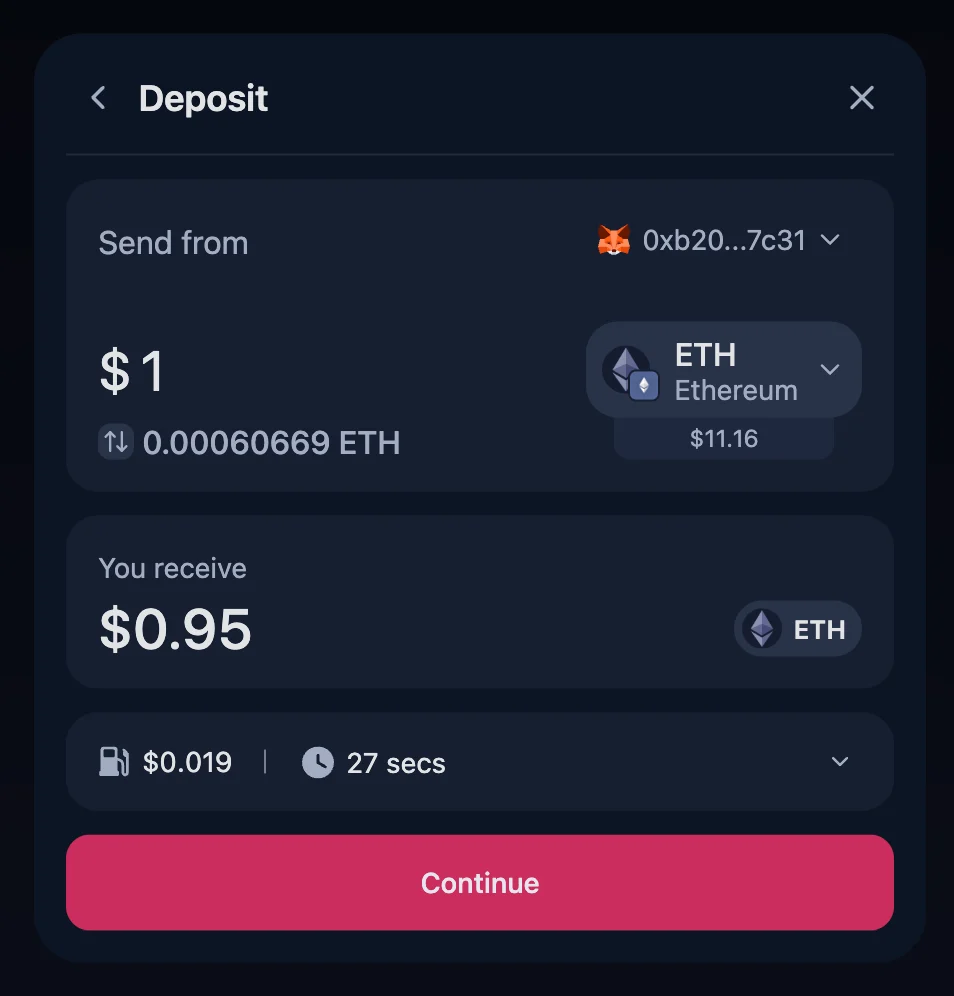
Wallet transfer — the user connects a wallet, picks a source token (only routes the wallet supports and has a balance for are shown), enters an amount, reviews the quote, and executes the transfer.
-
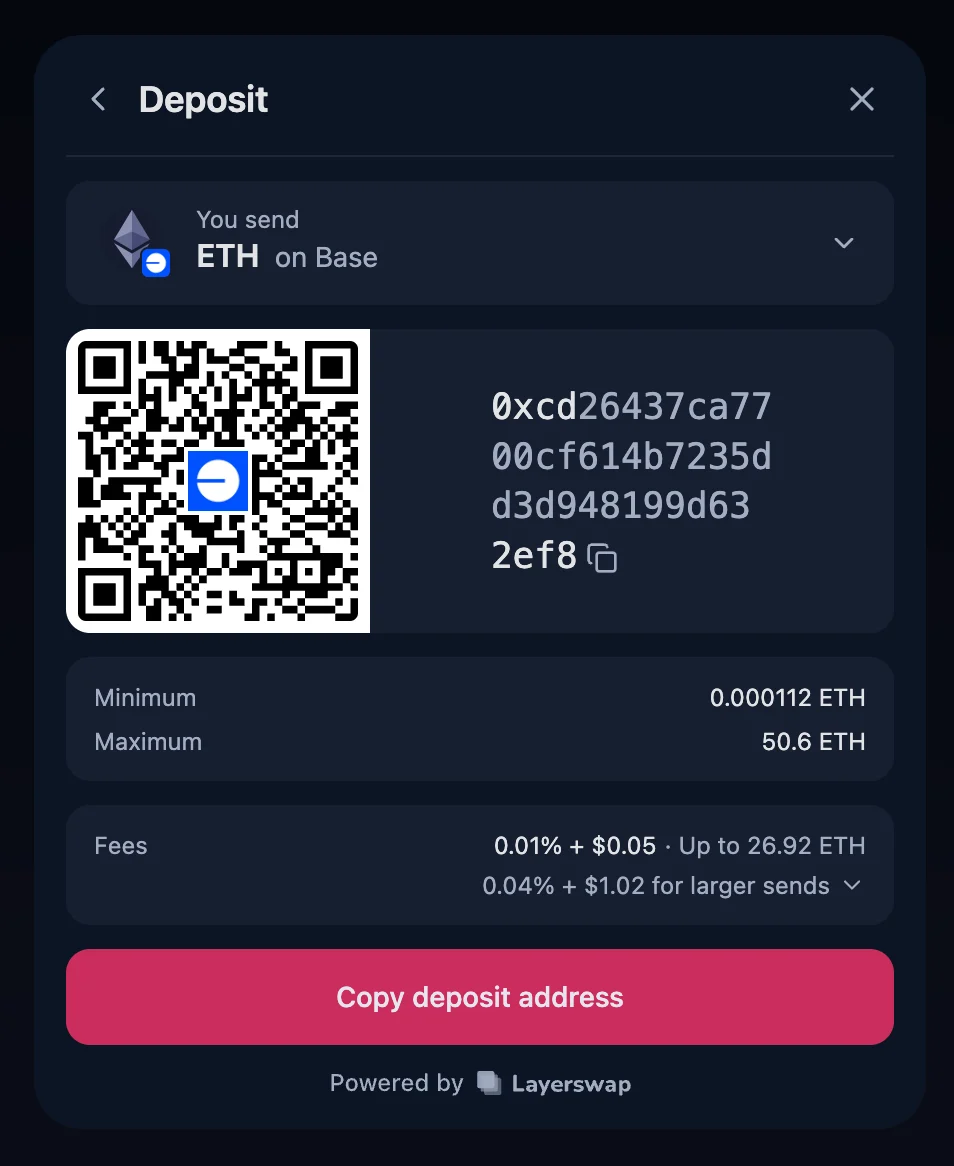
Deposit address — the widget generates a deposit address with a QR code. The user pays from any wallet app, hardware wallet, or exchange account. No source-side wallet is needed.
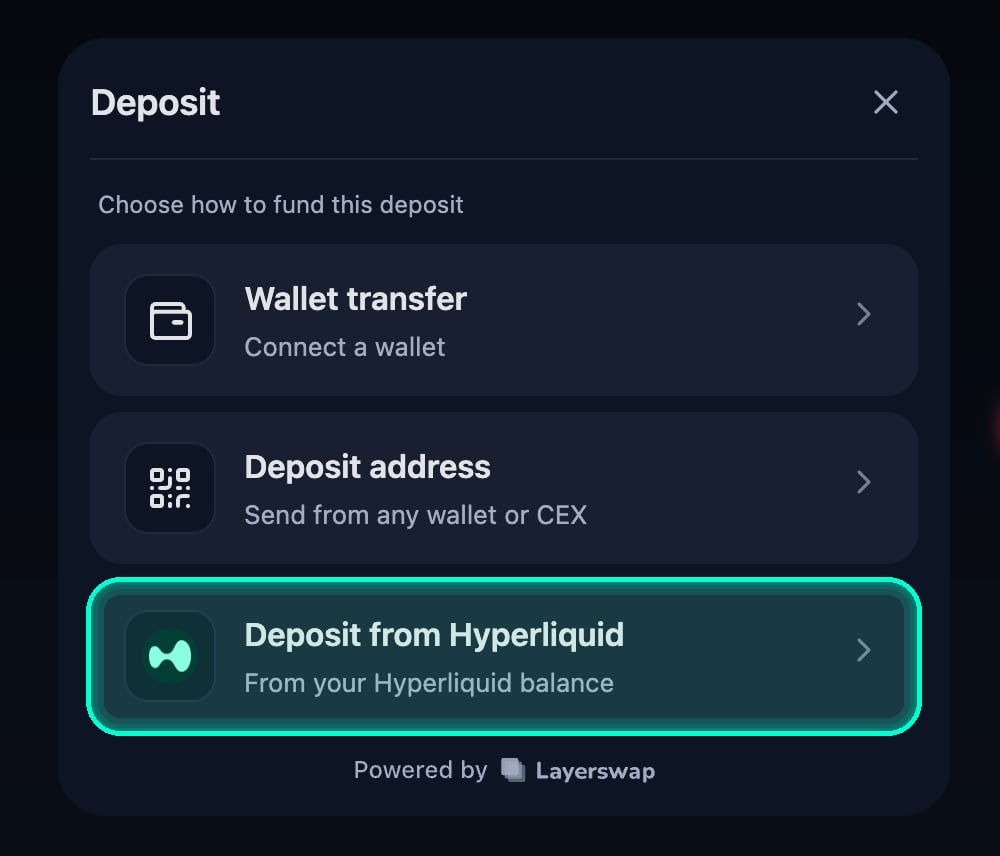
- Deposit from Hyperliquid — fund the destination from a Hyperliquid USDC balance without copying an address or leaving the widget. See Deposit from Hyperliquid.
- Deposit from Polymarket — fund the destination from a Polymarket balance. See Deposit from Polymarket.
destination prop; the accepted tokens come from its tokens allow-list. When more than one token is accepted, the user gets a “You receive” picker to choose between them; with a single token the picker is hidden and that token is used automatically.
Usage
Choosing which funding methods to show
By default every available method is offered. Passmethods as an allow-list to narrow them. The prop controls which methods may appear; it does not make an unavailable route available. For a deposit-address-only integration with no wallet connection at all:
Deposit from Hyperliquid
When EVM wallet support is enabled and the destination is reachable from Hyperliquid, the method picker can offer Deposit from Hyperliquid. The user can fund the fixed destination straight from their Hyperliquid USDC balance, without copying an address or leaving the widget. If the destination is not reachable, the option is disabled with Not available for this destination. To hide it, excludehyperliquid from the methods allow-list.
Deposit from Polymarket
The user connects the wallet that owns their Polymarket account and funds the fixed destination straight from their Polymarket balance. The method is shown only when EVM wallet support and the Polymarket integration are enabled. If the destination is not reachable from Polymarket, the option is disabled with Not available for this destination. To hide it, excludepolymarket from the methods allow-list.
Wallets, theming, and callbacks
Since the Deposit Widget takes allLayerswapWidget props, the same pages apply:
- Wallets — filter chains with
walletProvidersConfig, supply credentials withwalletDefaults - Sharing your wagmi config — reuse your app’s EVM connection via
wagmiConfig - Customization — theme via
config.theme - Event Callbacks —
callbacksfires for deposit swaps the same way
Deposit-specific props
SupportedDestination
required
The single destination network and its allowed tokens. The network is fixed; the user picks one of the tokens via the token dropdown (hidden when only one token is accepted). See SupportedDestination for the shape.
string
required
The recipient address on the destination network. Fixed by you — the Deposit Widget never asks the user for it.
"inline" | "button"
default:"inline"
"inline" renders the widget directly on the page. "button" renders a Deposit button that opens the widget inside a dialog.string
default:"Deposit"
Title shown in the widget header.
string
default:"Deposit"
Label for the trigger button. Only applies when
mode="button".string
Extra
className applied to the trigger button. Only applies when mode="button".boolean
default:"false"
When
true, shows the “Send to” destination address row in the quote summary. Hidden by default because the recipient is your own fixed address and the row is usually redundant for the user.string
Custom label for the action (submit) button inside the flow.
number
default:"1"
Default amount (in USD) seeded into the wallet flow once the user picks a source token. Set to
0 to disable seeding.DepositMethodId[]
default:"all methods"
Allow-list of funding methods the picker may show —
"wallet", "deposit_address", "hyperliquid", and "polymarket". The list permits methods; route availability and Layerswap feature configuration still determine whether each option is shown or enabled. Defaults to every method.SupportedDestination
While a transfer is in flight, the dialog’s close button is hidden and clicking outside the dialog doesn’t dismiss it, so the user can’t accidentally abandon an in-progress deposit.
Vanilla JS
The release plan includesmountDepositWidget for non-React hosts. Verify the export before relying on it; see JavaScript package.