

When to use it
- You want a deposit-by-address UX that works on mobile and from any wallet, with no source-side WalletConnect dance.
- Your users primarily send from exchange or wallet apps directly.
- You want to support source networks where you don’t ship a wallet adapter in your integration.
How it works
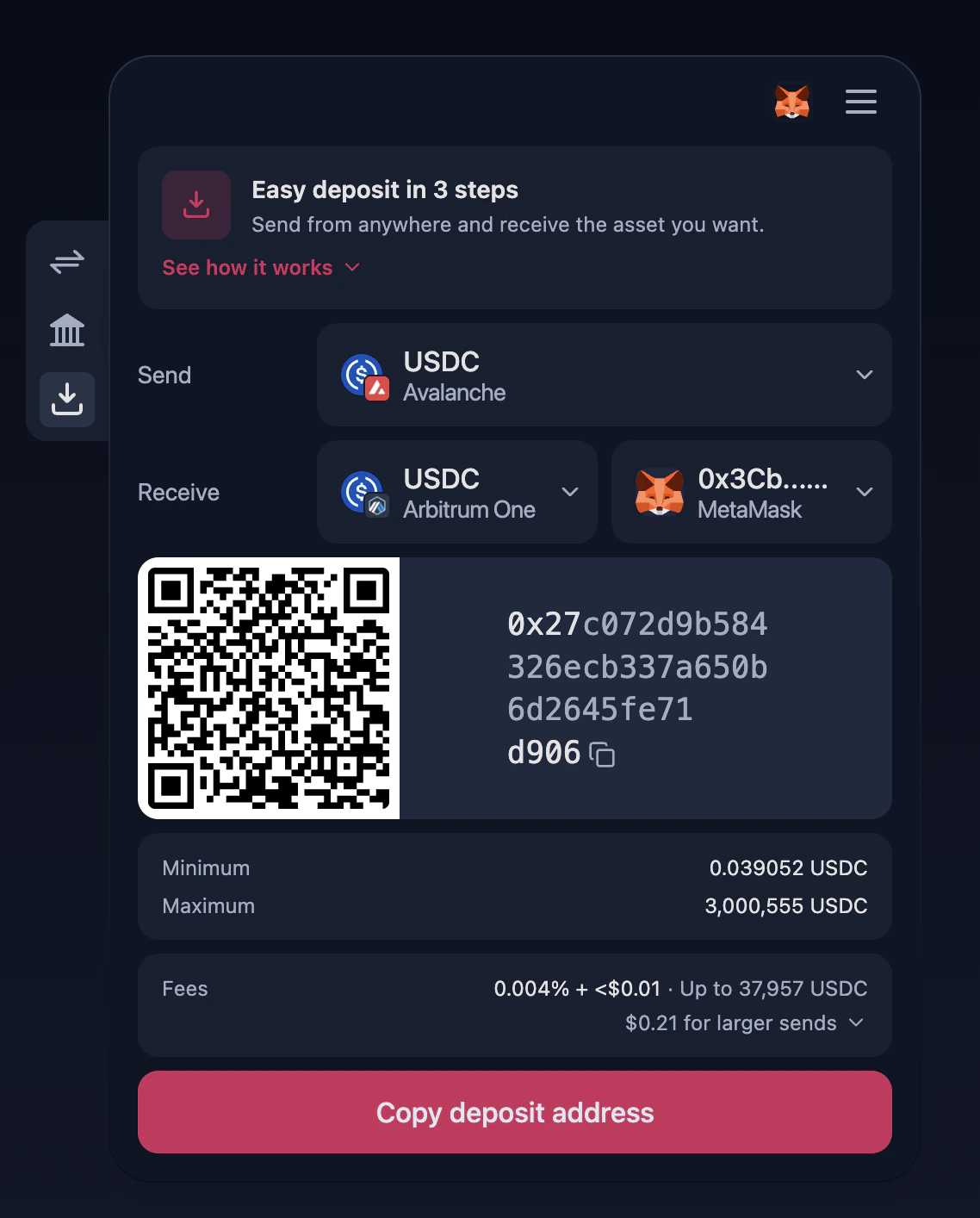
- The user picks a Send network/token (what they’ll be paying with).
- The user picks a Receive network/token. The recipient address is taken from the connected destination wallet — it can’t be supplied via config or query parameters in this flow.
- The widget displays the deposit address (with QR code), min/max, and fee preview.
- The user sends from any wallet of their choice. Once the deposit lands, the swap is processed and funds arrive at the destination.
A wallet is required on the destination side — the recipient address is read from the connected wallet, not from
destAddress or any other parameter. The connect modal is opened automatically when the user lands on this tab without any wallet connected.Enabling the tab
SetdefaultTab: 'deposit' to open the widget on the Easy Deposit flow:
Configuration
string
Set to
'deposit' to open the Easy Deposit flow on first render.string
Source blockchain network the user will be sending from (e.g.,
'BITCOIN_MAINNET', 'ETHEREUM_MAINNET', 'ZKSYNC_MAINNET').string
Destination blockchain network where funds will be received.
string
Token the user will be sending from the source network.
string
Token to be received on the destination network.
destAddress is not honored in the Easy Deposit flow — the recipient address is always sourced from the connected destination wallet. Use the Swap or Deposit from CEX flows if you need to pre-fill a destination address.Locking the widget to Easy Deposit only
To restrict the widget to the Easy Deposit flow and hide the tab switcher, combinedefaultTab with header.hideTabs: true:
defaultTab values and the other available flows.